
|
| Home | Products | Buy | Features | Download | Weekly Puzzle | Support |
How to Download and Install Program and Upgrade Files |
|
Begin the download of any Living Scenes Jigsaw Puzzles program file or upgrade file by clicking the download link shown in your web browser.  Windows XP will display a window similar to the following when you click the download link: 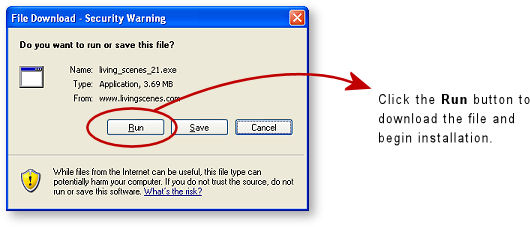 Click the Run button to begin the file download. Note that some versions of Windows will label the button as Open instead of Run. A window similar to the following will appear when the file download begins: 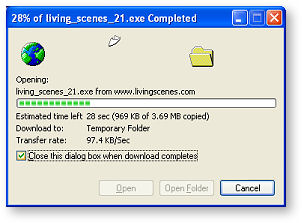 The window shows the progress of the file being downloaded. When the download is completed the progress window is automatically replaced by a window similar to the following if you are using Windows XP: 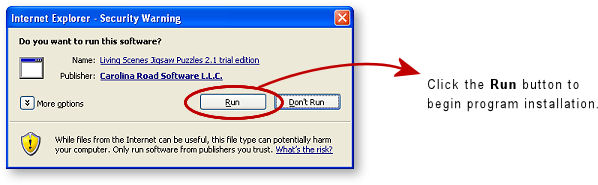 Ensure Carolina Road Software LLC is shown as the Publisher and then click the Run button to continue. The next window will begin the installation of the program: 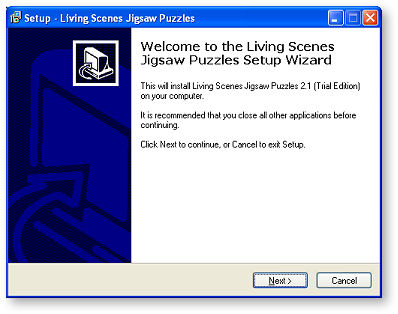 Follow the installation instructions to complete the installation of the program. If you have any questions send us an e-mail at |
 Carolina Road Software Carolina Road SoftwareCopyright © 2002-2017 Carolina Road Software L.L.C. All rights reserved. |